
Book Appointment Now

How to change your WordPress URL
< 1 min read
Sign In on your MySQL database. If you’re unsure which database is for your site, check your wp-config.php file.
You’ll be signed into phpMyAdmin. Select your database on the left, then the _options table from the list
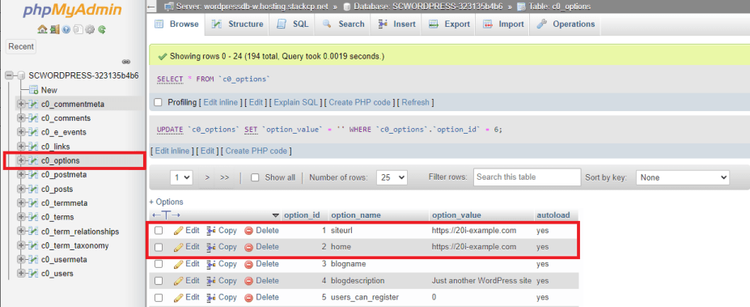
You’ll see entries for ‘siteurl’ and ‘home’. Edit the values of these entries and your site’s URL will be updated.
Updated on August 14, 2025


Powered by BetterDocs